
Skip to content
Think Crew Support

Think Crew Support

Answers to all of your questions

Account Management

3
  • Subscription Plans and Billing
  • Managing Your Subscription
  • Password Management

Collaboration Features

2
  • Team Collaboration Overview
  • Managing User Permissions

Devices & Internet

3
  • Using Think Crew on Mobile Devices
  • Running Think Crew from Your Desktop
  • Offline Access and Synchronization

Internationalization

4
  • Language Settings and Preferences
  • Available Languages and Translations
  • Setting Measurement Preferences
  • Date and Time Format Customization

Overview

14
  • Introduction to Think Crew
  • System Requirements and Browser Compatibility
  • Creating Your Account
  • Quick Start Guide
  • Navigating the Interface
  • Customizing Your User Profile
  • Your User Page
  • Search
  • Alerts
  • Understanding the Dashboard
  • Permissions Page
  • Keyboard Shortcuts and Time-saving Tips
  • Feature Requests
  • Report an Issue

Progress Reports

1
  • Progress Reports

Projects

6
  • Creating a New Project
  • Projects Page Overview
  • Managing Project Settings
  • Deleting Projects
  • Adding Users to Projects
  • Setting User Permissions

Schedule Page

44
  • Schedules Page Overview
  • Managing Panes (Tab Pane System)
  • Managing Schedule Scenarios
  • Creating and Managing Calendar Events
  • Printing Schedules
  • Schedule Settings
  • Boards
    • Board Views (Strips, Calendar)
    • Working with Boards
    • Recycle Bin
    • Drag and Drop Scheduling
    • Find & Replace
    • Sort & Add Days
    • Updating Multiple Breakdowns (Multi-Select)
  • Breakdowns
    • Breakdown Fundamentals
    • Creating Breakdown Sheets
    • Adding Data to a Breakdown
    • Linking Breakdowns to Scenes
    • Manually Setting a Strip’s Color
  • Categories & Elements
    • Category & Element Fundamentals
    • Managing Elements
    • Managing Categories
    • Working with the Elements Pane
  • Day Out of Days
    • Day Out of Days Overview
    • Where is the Day Out of Days
    • Day Out of Days Views (Grid, Calendar)
    • Selecting a Category and Board
    • Setting a Date Range
    • Day Out of Days Settings
    • Day Out of Days Filtering
    • Managing Totals Columns
    • Solo Elements
    • Show Only Working Elements
    • Changing the Schedule in the Day Out of Days (Moving Columns)
  • Designs
    • Designs Overview
    • Creating a Design
    • Creating a Strip
    • Design a Strip
    • Design Strip Menu Bar – Table
    • Design Strip Menu Bar – Categories
    • Design Strip Menu Bar – Field
    • Design Strip Menu Bar – Format
    • Strip Preview
    • Creating a Palette
    • Sharing Designs, Strips & Palettes

Schedules

6
  • Create a Schedule
  • Duplicating Schedules
  • Import & Export Schedules
  • Moving a Schedule to Another Project
  • Deleting Schedules
  • Revising Scripts

Script Page

5
  • Script Editor Basics
  • Working with Scenes
  • Script Views (Scene, Breakdown, Script)
  • Managing Scene Breakdowns
  • Renumbering Scenes

Scripts

7
  • Importing Scripts
  • Managing a Script
  • Moving a Script to Another Project
  • Scripts Page Overview
  • Deleting Scripts
  • Automatic Scene Descriptions
  • How to Import Scripts from Scriptation

Site Info

3
  • Change Log
  • AI Scene Descriptions: Data Security and Privacy
  • Think Crew Security Overview

Troubleshooting

4
  • Common Issues and Solutions
  • Contacting Support
  • System Status and Maintenance Information
  • How to Hard-Reload Think Crew
View Categories
  • Home
  • Docs
  • Schedule Page
  • Day Out of Days
  • Day Out of Days Settings

Day Out of Days Settings

< 1 min read

Think Crew’s Day Out of Days report offers several customization options through its Settings panel. These settings allow you to tailor the report’s appearance and functionality to meet your specific production needs.

Accessing the Settings Panel #

To access the Day Out of Days settings:

  1. Navigate to the Day Out of Days report
  2. Look for the gear icon (⚙️)
  3. Click the gear icon to open the Settings panel

Available Settings #

The Settings panel offers several customization options:

Display Options #

  • Days Off: Toggles the display of the days off
  • Count: Shows or hides a count of the elements for each day
  • Color: Toggles the cell background colors
  • Grid lines: Toggles the grid lines

Customizing your Day Out of Days settings helps you create a more efficient workflow by focusing on the information that matters most to your production.

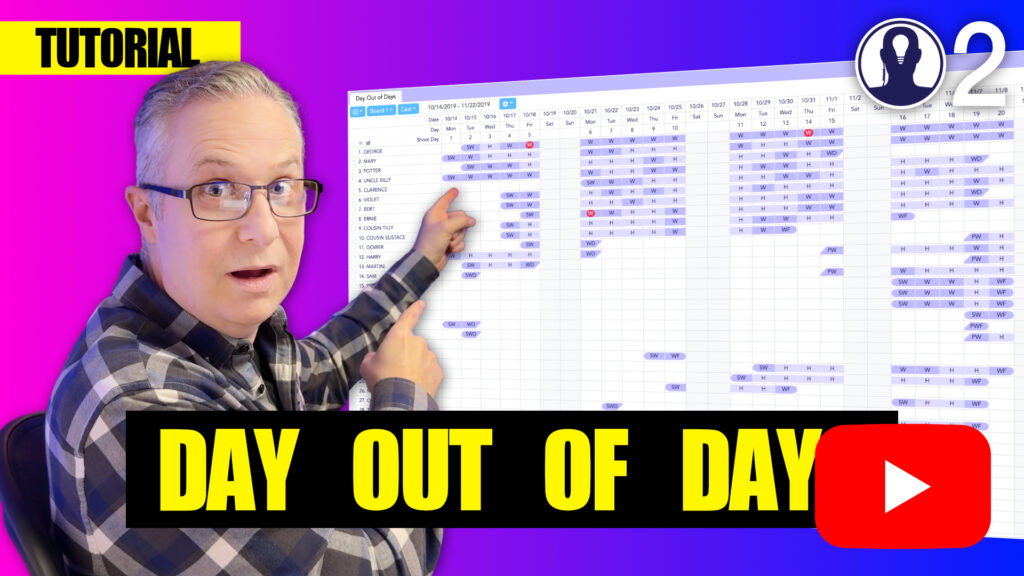
Here’s a tutorial video that covers everything about the day out of days:
Updated on April 23, 2025
ColorToggle

What are your Feelings

  • Happy
  • Normal
  • Sad

Share This Article :

  • Facebook
  • X
  • LinkedIn
  • Pinterest
Setting a Date RangeDay Out of Days Filtering

Leave a Reply Cancel reply

Your email address will not be published. Required fields are marked *

Table of Contents
  • Accessing the Settings Panel
  • Available Settings
    • Display Options
  • Facebook
  • YouTube
  • Instagram
  • Bluesky
Proudly powered by WordPress